 vs
vs

The ClickUp alternative
that just makes sense.
The views and structure you use. Not the 200 you don't. ClickUp's pitch is that it replaces every tool you own. The cost of that ambition is a dense, busy interface and a setup that is a project in itself. If your team wants boards, lists, a timeline, and docs without the sprawl, Magnifi is a calmer version of the same core for $3 a seat.
Free for teams up to 5 · No credit card
Is Magnifi a good ClickUp alternative?
Yes. Magnifi is a cheaper, simpler, all-in-one alternative to ClickUp: a flat $3 per seat each month (versus ClickUp's $7), free for teams up to 5, with no setup project or learning curve. A team of 10 saves about $480 a year while getting tasks, boards, timelines, teams, docs, and notifications in one workspace.
Last updated June 2026
The math · team of 10
You're overpaying
for ClickUp.
Same work, a fraction of the bill. A team of 10 keeps $480 every year by moving to Magnifi.
See the full ClickUp pricing breakdown →Cheaper
Per seat, per month. No tiers, no seat minimums, no upsells — free for teams up to 5.
Simpler
2 minFrom sign-up to your first task. No admin to hire, no setup project, no learning curve.
All-in-one
One calm workspace instead of a stack of subscriptions you stitch together.
Why teams look beyond ClickUp.
Feature overload
So many surfaces, toggles, and ClickApps that simple tasks feel harder than they should. Teams routinely use a fraction of it.
A busy, tiring interface
Density everywhere. Many teams describe ClickUp as noisy to work in over a full day.
Configuration before value
Getting ClickUp set up the way you want takes real time and often an internal champion to own it.
Magnifi vs ClickUp, dimension by dimension
Where each tool lands on the things teams actually weigh before switching. The verdict line is our honest call for that dimension, not a sales line.
Interface and daily feel
Magnifi
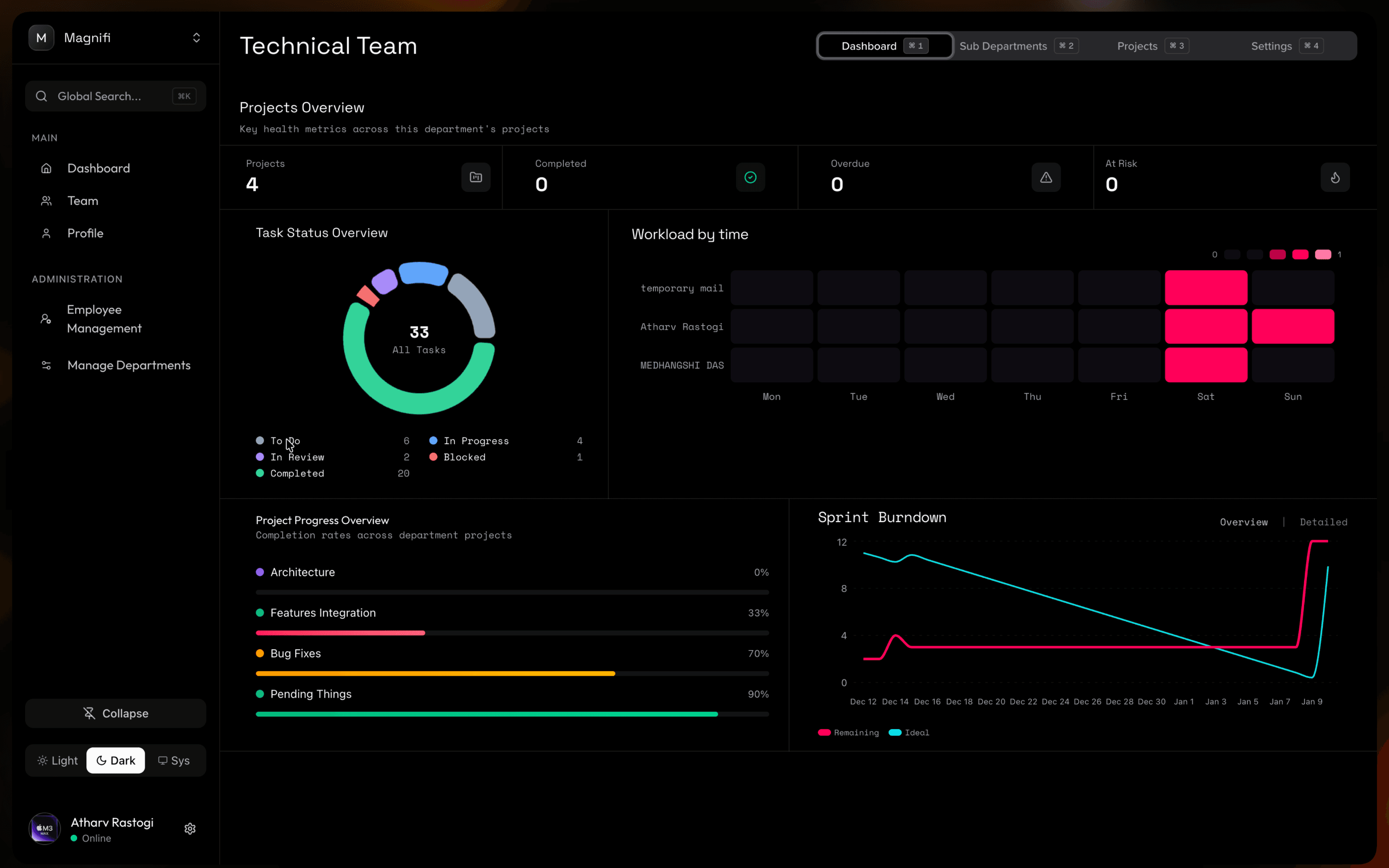
Calm and spare. Fewer surfaces, less visual noise, easier to sit in all day.
ClickUp
Powerful but dense. The information-per-screen is high and can wear on you.
Verdict. Magnifi if focus matters. ClickUp if you want every control visible at once.
Breadth of features
Magnifi
Tasks, four views, teams, docs, notifications. A focused core, and that is the whole point.
ClickUp
Docs, whiteboards, goals, time tracking, forms, and more. Genuinely broad.
Verdict. ClickUp if you want the everything-tool. Magnifi if breadth is what tired you out.
Time to first value
Magnifi
Under two minutes to a working board.
ClickUp
Meaningful setup: statuses, custom fields, ClickApps, hierarchy decisions.
Verdict. Magnifi if you want to skip the setup phase entirely.
Pricing
Magnifi
Flat $3 per seat, free up to 5. A team of 10 is $360 a year.
ClickUp
Free for unlimited members with limits, then $7 per seat on Unlimited (annual). A team of 10 is about $840 a year.
Verdict. Magnifi is around 55% cheaper at ten seats.
The same thing, at a glance
Including the rows where ClickUp comes out ahead.
| Magnifi | ClickUp | |
|---|---|---|
| Price per seat / month | $3 | $7 (Unlimited, annual) |
| Free plan | Up to 5 members, full features | Unlimited members, limited features |
| Setup time | Under 2 minutes | Significant |
| Interface | Calm & focused | Dense & busy |
| Board, table & timeline views | Built-in | Built-in |
| Whiteboards, goals, time tracking | No | Yes |
| Custom fields & per-list statuses | Limited | Extensive |
| Everything included on the paid plan | Yes | Tiered |
Where ClickUp is the better choice
No tool wins on everything. If these matter to your team more than price and simplicity, ClickUp is the honest pick and switching would cost you more than it saves.
Sheer feature breadth
Whiteboards, native docs, goals, time tracking, form view, dashboards, automations. If you want all of it in one product, ClickUp has more of it than Magnifi.
Deep customisation
Custom fields, custom statuses per list, automation recipes, and view types. Magnifi is deliberately more fixed.
A generous free tier for individuals
ClickUp's free plan is unlimited members with limits on features. Magnifi's free plan is capped at 5 members but unlocks everything.
Who should switch, who should stay
Choose Magnifi if…
- Teams that adopted ClickUp and quietly went back to using 10% of it
- People who find dense interfaces draining
- Small teams who want every feature included rather than tier-gated
- Anyone who wants to start working now, not after a configuration sprint
Stay with ClickUp if…
- •Teams that genuinely want docs, whiteboards, goals, and time tracking in one product
- •Power users who enjoy building a custom system with fields and automations
- •Larger free teams who need unlimited seats more than they need every feature
- •Groups already invested in a working ClickUp setup
Migration path
Moving from ClickUp
There is no one-click ClickUp importer yet. ClickUp can export a workspace to CSV, and the practical path is to bring your active work across and leave the archive behind.
What comes across
- Export tasks from ClickUp to CSV, then recreate the active projects in Magnifi
- Task name, status, assignee, and due date map directly
What you set up by hand
- •Rebuild board columns and views
- •Re-invite the team and re-assign in-flight tasks
- •Docs, whiteboards, and comment history do not transfer
Coming from another tool?
We'll make the switch easy.
Whatever you're leaving, see exactly what Magnifi saves you.







$3
Per seat / month
57%
Cheaper than ClickUp
2 min
To get set up
Common questions
Is Magnifi a simpler alternative to ClickUp?
Yes, by design. Magnifi gives you boards, lists, tables, timelines, teams, docs, and notifications in a deliberately calm interface, without ClickUp's density or setup. The trade is breadth: ClickUp has whiteboards, goals, and time tracking that Magnifi does not.
Is Magnifi cheaper than ClickUp?
Yes. $3 per seat / month versus $7 on ClickUp's Unlimited plan. A team of 10 saves about $480 per year, and small teams use Magnifi free.
Can I import my ClickUp data?
Not in one click yet. Export your ClickUp tasks to CSV and recreate the active projects in Magnifi. Task name, status, assignee, and due date carry over cleanly; docs, whiteboards, and comment history do not.
When is ClickUp the better choice?
When your team actually wants the all-in-one breadth, including docs, whiteboards, goals, and time tracking, and has someone willing to own the configuration.
Ready to switch?
Keep $480 a year.
It's free to start. No credit card required.