Project management
Teams actually use.
No training sessions. No manual. Just teams, projects,
and tasks that make sense from day one.
Free for small teams · No credit card required
Ready before your coffee gets cold.
Teams, projects, and tasks. From setup to shipping in under 5 minutes.
Make Teams.Set up teams, groups, or squads — however your organization works.
Built for every team.
Every industry.
Engineering sprints, coursework deadlines, construction permits, marketing campaigns — Magnifi adapts to whatever your workspace looks like.
We made the setup decisions
so your team doesn't have to.
Magnifi comes ready to use: five statuses, three priorities and one structure for every project. Nobody has to configure it first, and everyone on the team finds their work in the same place from day one.
It's built for teams of 2 to 50: agencies, studios, local businesses and startups that want their tasks, projects and docs in one place.
Everything your team needs. Nothing it doesn't.
From org charts to role permissions, every feature is designed to get out of your way and let your people do their best work.
Design your organization.
Create unlimited teams and sub-groups. Structure your company exactly the way it operates in real life.
Drag. Drop. Done.
Five status lanes that match how work actually moves. Pick it up, drag it through review, drop it in Complete.
Insights at every level.
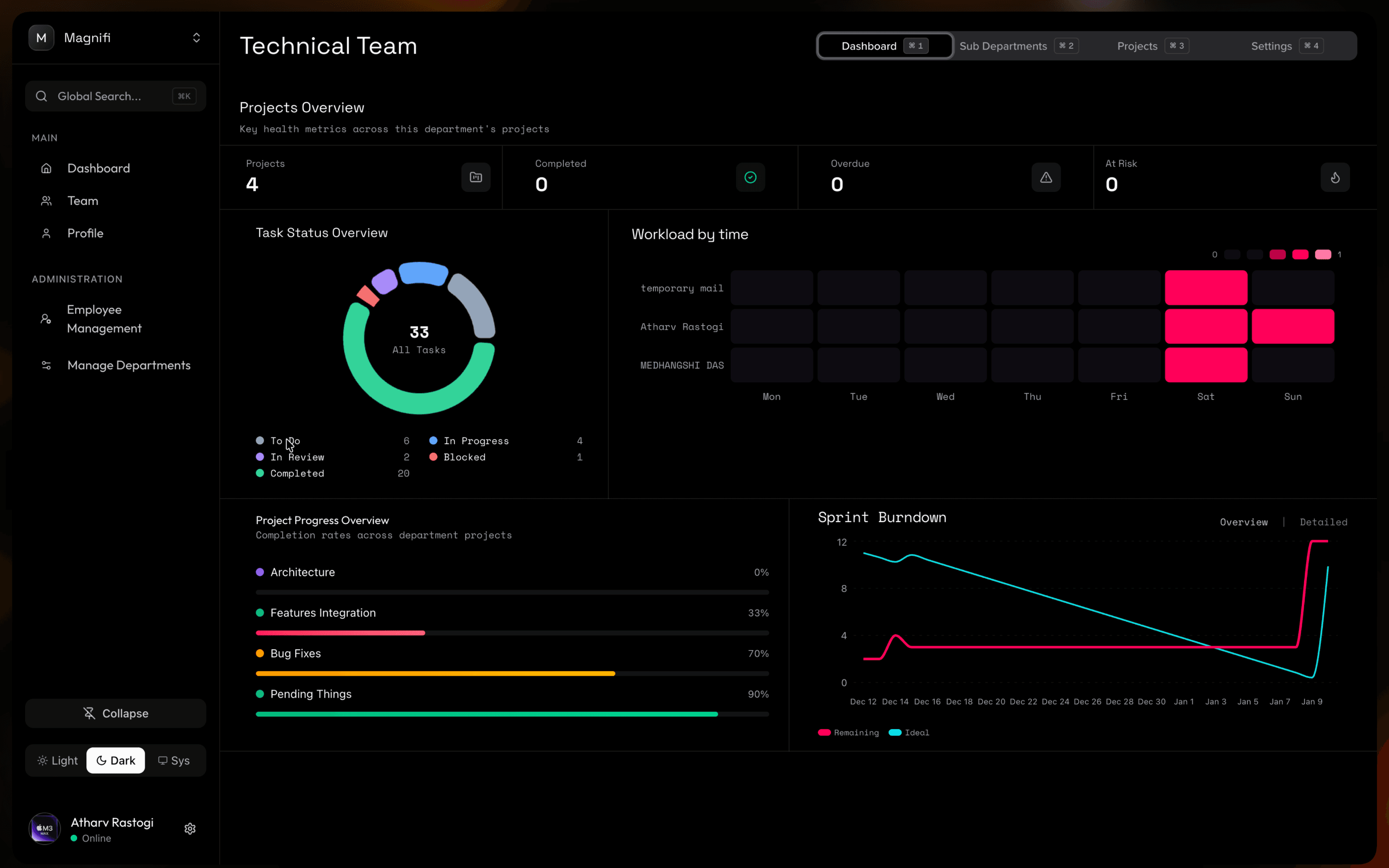
Track progress, spot bottlenecks, and see workload at a glance — for every project, team, or your whole organization.
Unified inbox
Every update, mention, and assignment in one feed. Nothing slips through the cracks.
Role-based access
Control who sees what. Assign permissions at the org, team, or project level.
Global search
Find any team, project, or task instantly across your whole organization.
Built for teams that value speed.
"We're a startup, usually tools take time to configure. Magnifi didn't. In just 5 mins, we had our workspace setup and working."
"As site planners, we just needed a simple way to track projects and tasks. Magnifi made that easy."
"Navigation doesn't feel cluttered. Everything has a place, and it's easy to find."
"We are used to clunky project tools. Magnifi feels lightweight. Global search is fast and the shortcuts just make sense."
"Dashboard in Magnifi is very powerful, giving us a clear view at every level, from individual projects to the whole organization."
Plan the present.
Build the future.
It's free to start. No Credit Card required.