 vs
vs

The GitHub Projects alternative
that just makes sense.
Project management that the whole team can see, next to the code that ships it. GitHub Projects is a solid way to track issues beside code, and for an engineering-only team it may be all you need. The limits show when the rest of the company needs in: a repo-centric tool is a poor home for marketing, design, and leadership, and timelines and cross-project views are thin. Magnifi gives everyone a real workspace and stays friendly to the GitHub you keep.
Free for teams up to 5 · No credit card
Is Magnifi a good GitHub Projects alternative?
Yes. Magnifi is a cheaper, simpler, all-in-one alternative to GitHub Projects: a flat $3 per seat each month (versus GitHub Projects's $21), free for teams up to 5, with no setup project or learning curve. A team of 10 saves about $2,160 a year while getting tasks, boards, timelines, teams, docs, and notifications in one workspace.
Last updated June 2026
The math · team of 10
You're overpaying
for GitHub Projects.
Same work, a fraction of the bill. A team of 10 keeps $2,160 every year by moving to Magnifi.
See the full GitHub Projects pricing breakdown →Cheaper
Per seat, per month. No tiers, no seat minimums, no upsells — free for teams up to 5.
Simpler
2 minFrom sign-up to your first task. No admin to hire, no setup project, no learning curve.
All-in-one
One calm workspace instead of a stack of subscriptions you stitch together.
Why teams look beyond GitHub Projects.
Built around the repo
Non-developers do not live in GitHub, and asking them to is a hard sell. Company-wide work ends up invisible to half the company.
Thin higher-level views
GitHub Projects has improved, but timelines, dashboards, and portfolio-style visibility across many projects are limited.
Full seats are expensive for non-engineers
Putting the whole company on GitHub Enterprise at up to $21 a seat to get project tracking is poor value.
Magnifi vs GitHub Projects, dimension by dimension
Where each tool lands on the things teams actually weigh before switching. The verdict line is our honest call for that dimension, not a sales line.
Audience
Magnifi
A workspace any function understands, no repo required.
GitHub Projects
Comfortable for developers, alienating for everyone else.
Verdict. Magnifi if non-engineers need in. GitHub Projects if the team is only engineers.
Developer workflow integration
Magnifi
Connects to GitHub, but tasks and code live in separate tools.
GitHub Projects
Issues and PRs are the same objects on the board. No switching.
Verdict. GitHub Projects wins for a pure dev loop. Use both if the company is wider than that.
Planning views
Magnifi
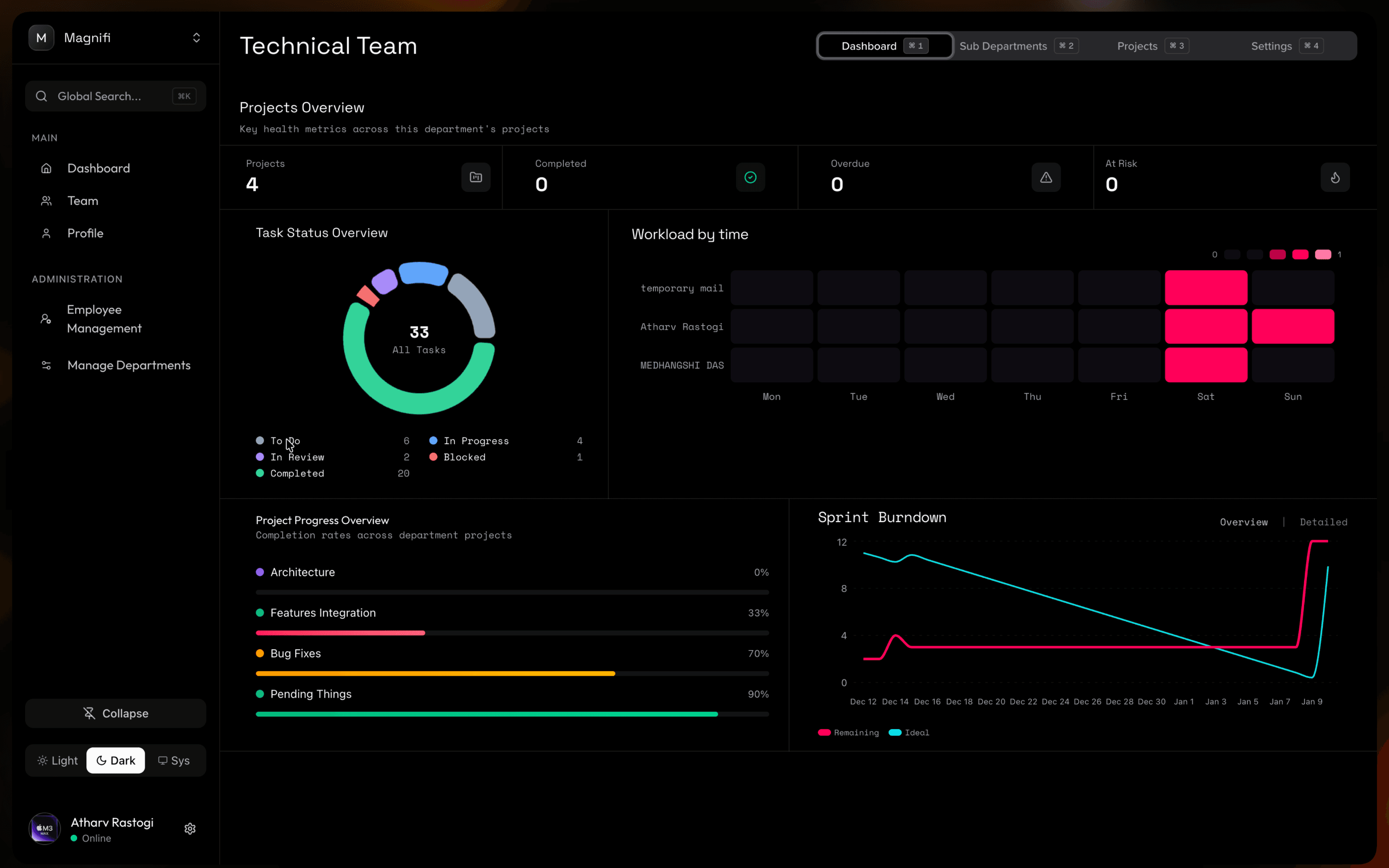
Board, table, and timeline plus dashboards, built in.
GitHub Projects
Board and table are good; timeline and cross-project rollups are limited.
Verdict. Magnifi for higher-level planning across many projects.
Pricing for project management
Magnifi
$3 per seat flat. A team of 10 is $360 a year.
GitHub Projects
Free with GitHub for many teams, but company-wide use often means Enterprise at up to $21 a seat.
Verdict. GitHub if it is already free for your team. Magnifi once you would be buying seats for non-engineers.
The same thing, at a glance
Including the rows where GitHub Projects comes out ahead.
| Magnifi | GitHub Projects | |
|---|---|---|
| Price per seat / month | $3 | Up to $21 (Enterprise) |
| Free plan | Up to 5 members, full features | Included with GitHub |
| Built for non-developers | Yes | No |
| Issues and PRs on the same board | No | Yes |
| Timeline & cross-project dashboards | Built-in | Limited |
| Board & table views | Built-in | Built-in |
| Repo-event automation | No | Yes (Actions) |
| Setup time | Under 2 minutes | Moderate |
Where GitHub Projects is the better choice
No tool wins on everything. If these matter to your team more than price and simplicity, GitHub Projects is the honest pick and switching would cost you more than it saves.
Zero context switch for developers
Issues, pull requests, and project boards in one place, tied to commits and branches. For an engineering team that is a real advantage Magnifi cannot match.
Free for public and small private work
GitHub Projects is included with GitHub, effectively free for many teams already paying for it.
Automation via GitHub Actions
Project automation driven by repo events is powerful for teams already invested in Actions.
Who should switch, who should stay
Choose Magnifi if…
- Companies where marketing, design, and leadership need the same view as engineering
- Teams that want real timelines and cross-project dashboards
- Groups who want to keep code in GitHub and run everything else somewhere sane
- Anyone weighing GitHub Enterprise seats just to get project tracking
Stay with GitHub Projects if…
- •Engineering-only teams who want issues, PRs, and the board in one place
- •Open-source projects and small teams where it is already free
- •Teams automating their board with GitHub Actions
- •Groups with no non-technical stakeholders in the planning loop
Migration path
Moving from GitHub Projects
No one-click GitHub Projects importer yet. Keep GitHub for issues and code, and stand up Magnifi for cross-functional planning. If you want issues in Magnifi too, export them to CSV.
What comes across
- Export issues to CSV from the repo, then create matching tasks in Magnifi
- Title, state, assignee, and labels map to task fields
What you set up by hand
- •Rebuild project board columns and custom fields
- •Decide which issues stay GitHub-only and which are mirrored
- •PR links and issue timelines do not transfer
Coming from another tool?
We'll make the switch easy.
Whatever you're leaving, see exactly what Magnifi saves you.






$3
Per seat / month
86%
Cheaper than GitHub Projects
2 min
To get set up
Common questions
Is Magnifi a good alternative to GitHub Projects?
Yes, when more than engineers need to track work. Magnifi gives the whole team boards, timelines, and dashboards, and you keep GitHub for code and pull requests. For an engineering-only team that wants issues and PRs on one board, GitHub Projects is hard to beat.
Can I use Magnifi alongside GitHub?
Yes. Many teams keep code, issues, and PRs in GitHub while running cross-functional project management in Magnifi.
Is Magnifi cheaper than GitHub Enterprise for project tracking?
For dedicated project management across the company, yes: $3 per seat / month versus up to $21 on GitHub Enterprise. A team of 10 saves about $2,160 per year. If GitHub Projects is already free for your team, that maths does not apply.
Does GitHub data import automatically?
Not yet. Export issues to CSV and create matching tasks in Magnifi. Title, state, assignee, and labels carry over; PR links and issue history do not.
Ready to switch?
Keep $2,160 a year.
It's free to start. No credit card required.