

1. Creating Your Organization
Learn how to create your Magnifi workspace and set up your organization.
Creating an Organization is the first step to getting started with Magnifi. Your Organization acts as the main workspace where all your teams, projects, and members are managed.
1.1. Role Assignment & Ownership
The user who creates the Organization is automatically assigned the Owner role with full administrative and billing access.
1.2. Creation Steps
Follow these steps to create your Organization:
Sign In & Choose an Option
Log in to your Magnifi account. After signing in, you will see two options:
- Create Organization
- Join Organization
Click on Create Organization to continue.
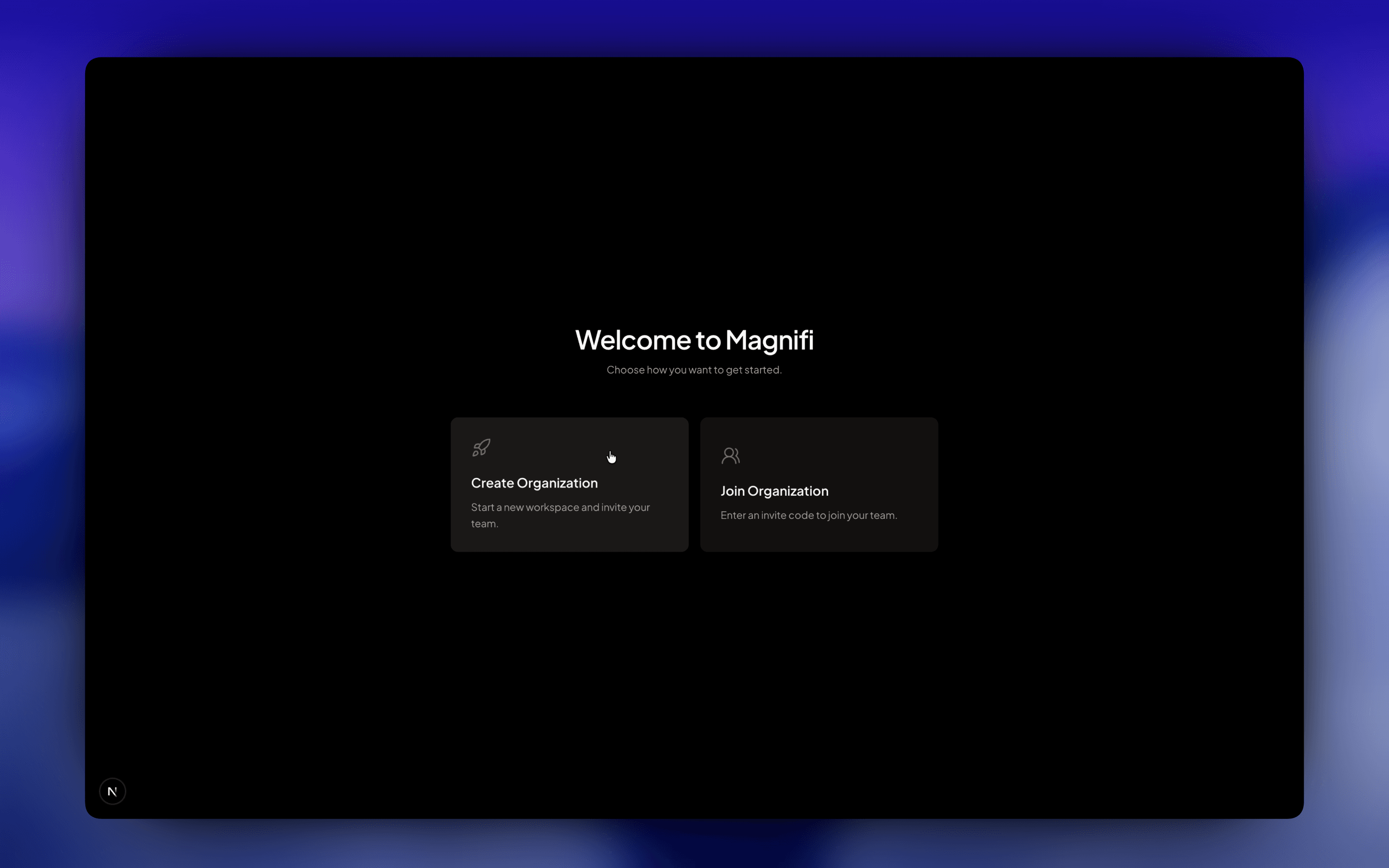
Enter Organization Name
Enter the name of your company, team, or group.
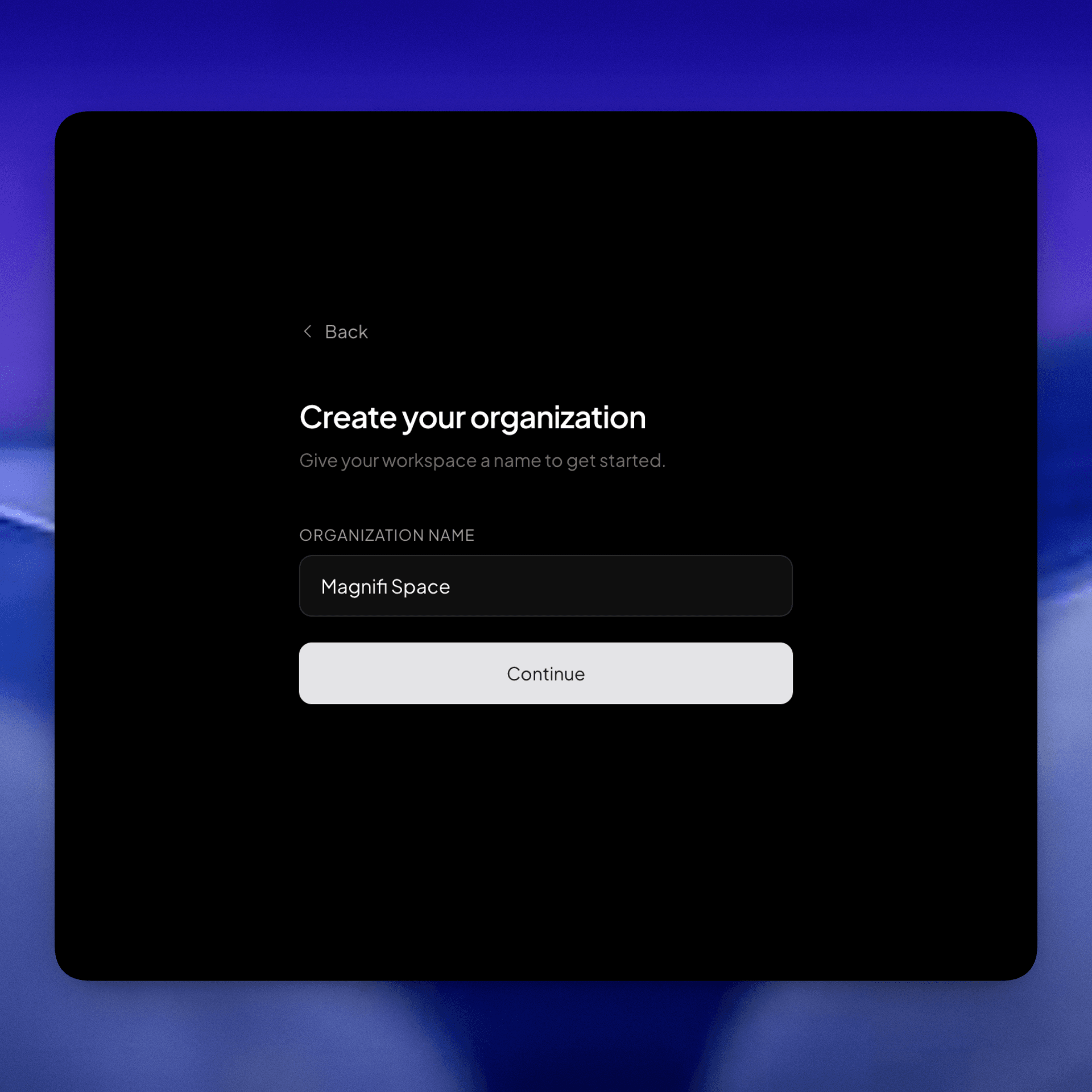
Organization names cannot be changed later.
Create Organization
Click on the Create Organization button.
Once your Organization is created, you will be redirected to the Organization Dashboard.
What's Next?
Now that your Organization has been created, you can continue with the next steps based on what you want to do:
- Learn how to create and manage teams in Setting Up Teams & Sub-teams.
- Explore the Organization Dashboard to understand more about Dashboard, Charts, Analytics and quick-access.
- Read the Terminology guide to understand how Magnifi organizes workspaces, teams, and projects.